
Enrich People Data
Overview
Use Apollo API to enrich your people data with details such as job titles, employment history, company information, locations, email addresses, and phone numbers.
You can enrich people using information such as:
- Email address
- Name and company domain
- Apollo person ID
Use the people enrichment endpoint to enrich one person. To enrich up to 10 people in a single request, use the bulk people enrichment endpoint.
CreditsPeople enrichment may use credits based on the data returned and the enrichment options enabled. Check out Apollo API pricing and credits for details.
1: Enrich a Person Using an Email Address
To enrich one person using their email address:
- Call the people enrichment endpoint:
POST https://api.apollo.io/api/v1/people/match- Add the following query parameter:
| Parameter | Value for this Example |
|---|---|
email | [email protected] |
- Add the following keys and values to the header of your request:
- Content-Type:
application/json - Cache-Control:
no-cache - x-api-key: Enter your Apollo API key.
- Content-Type:
cURL Request
The following shows the example as a cURL request:
curl --request POST \
     --url 'https://api.apollo.io/api/v1/people/match?email=mark%40sumware.com&reveal_personal_emails=false&reveal_phone_number=false' \
     --header 'Cache-Control: no-cache' \
     --header 'Content-Type: application/json' \
     --header 'accept: application/json' \
     --header 'x-api-key: YOUR_API_KEY'
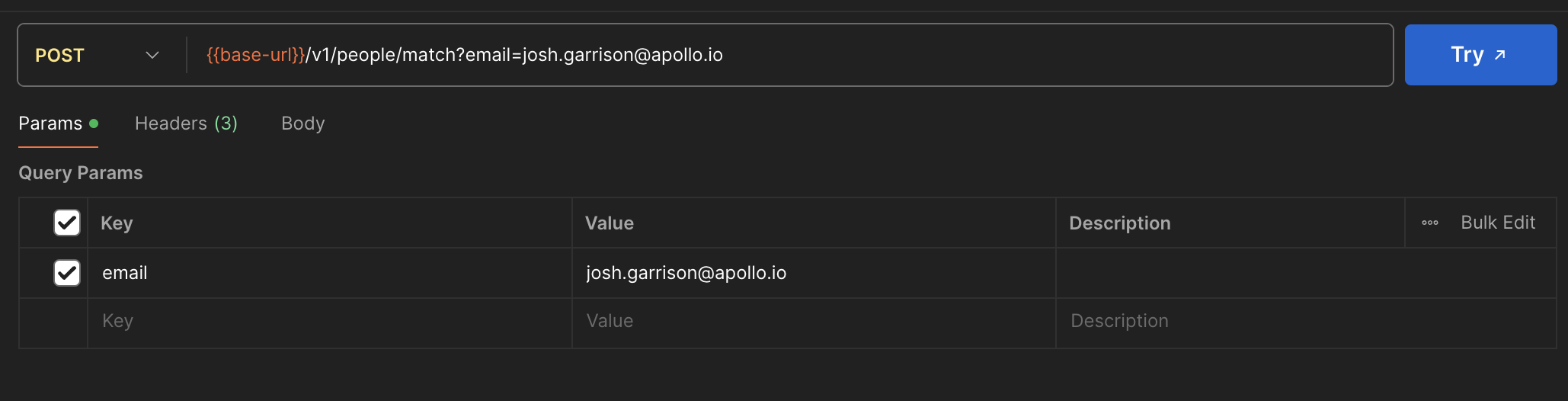
Postman Request
As an example, here's how the request can be formatted in Postman. If you prefer to pass parameters via the body of the request, use the raw option instead of form-data.
Response Details
A successful request returns a 200 response status and JSON data similar to the following response:
{
  "person": {
    "id": "64a7ff0cc4dfae00013df1a5",
    "first_name": "Mark",
    "last_name": "Calder",
    "name": "Mark Calder",
    "linkedin_url": "https://www.linkedin.com/in/mark-calder",
    "title": "VP of Sales",
    "email_status": "verified",
    "email": "[email protected]",
    "organization_id": "5e66b6381e05b4008c8331b8",
    "employment_history": [
      {
        "current": true,
        "organization_id": "5e66b6381e05b4008c8331b8",
        "organization_name": "Sumware Software",
        "start_date": "2021-06-01",
        "title": "VP of Sales"
      }
    ],
    "state": "California",
    "city": "San Francisco",
    "country": "United States",
    "organization": {
      "id": "5e66b6381e05b4008c8331b8",
      "name": "Sumware Software",
      "primary_domain": "sumware.com"
    }
  }
}
The following table details some key elements of the API response:
| Element | Description |
|---|---|
first_name, last_name, and name | The person's first name, last name, and complete name. |
title | The person's current job title. |
email | The person's email address, when available. |
email_status | The verification status of the returned email address. |
linkedin_url | The URL for the person's LinkedIn profile. |
organization_id | The Apollo organization ID associated with the person's current employer. You can use this ID with other Apollo API endpoints. |
employment_history | The person's current and previous employment details, when available. |
organization | Details about the person's current employer. |
state, city, and country | The person's location. These fields don't describe the employer's headquarters. |
2: Enrich a Person Using a Name and Company Domain
Use a name and company domain when you don't have the person's email address.
To enrich one person using their name and employer:
- Call the people enrichment endpoint:
POST https://api.apollo.io/api/v1/people/match- Add the following query parameters:
| Parameter | Value for this Example | Notes |
|---|---|---|
first_name and last_name | Mark and Calder | Use both parameters together. |
name | Mark Calder | Use instead of separate first_name and last_name parameters. |
domain | sumware.com | Enter the person's current employer domain. Don't enter a complete URL. |
- Add the following keys and values to the header of your request:
- Content-Type:
application/json - Cache-Control:
no-cache - x-api-key: Enter your Apollo API key.
- Content-Type:
cURL Request
The following request uses separate first- and last-name parameters:
curl --request POST \
     --url 'https://api.apollo.io/api/v1/people/match?first_name=Mark&last_name=Calder&domain=sumware.com&reveal_personal_emails=false&reveal_phone_number=false' \
     --header 'Cache-Control: no-cache' \
     --header 'Content-Type: application/json' \
     --header 'accept: application/json' \
     --header 'x-api-key: YOUR_API_KEY'
You can use the name parameter instead of separate first_name and last_name parameters:
curl --request POST \
     --url 'https://api.apollo.io/api/v1/people/match?name=Mark%20Calder&domain=sumware.com&reveal_personal_emails=false&reveal_phone_number=false' \
     --header 'Cache-Control: no-cache' \
     --header 'Content-Type: application/json' \
     --header 'accept: application/json' \
     --header 'x-api-key: YOUR_API_KEY'
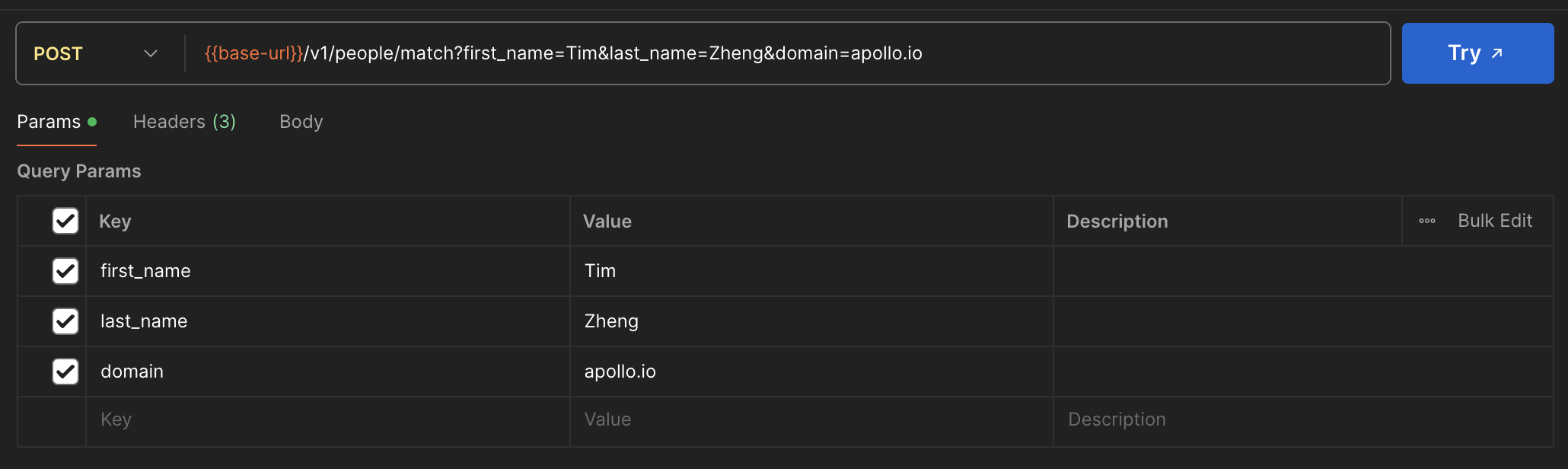
Postman Request
As an example, here's how the request can be formatted in Postman. If you prefer to pass parameters via the body of the request, use the raw option instead of form-data.
Response Details
A successful request returns a 200 response status and JSON data similar to the following response:
{
  "person": {
    "id": "64a7ff0cc4dfae00013df1a5",
    "first_name": "Mark",
    "last_name": "Calder",
    "name": "Mark Calder",
    "linkedin_url": "https://www.linkedin.com/in/mark-calder",
    "title": "VP of Sales",
    "email_status": "verified",
    "email": "[email protected]",
    "organization_id": "5e66b6381e05b4008c8331b8",
    "employment_history": [
      {
        "current": true,
        "organization_id": "5e66b6381e05b4008c8331b8",
        "organization_name": "Sumware Software",
        "start_date": "2021-06-01",
        "title": "VP of Sales"
      }
    ],
    "state": "California",
    "city": "San Francisco",
    "country": "United States",
    "organization": {
      "id": "5e66b6381e05b4008c8331b8",
      "name": "Sumware Software",
      "primary_domain": "sumware.com"
    }
  }
}
The following table details some key elements of the API response:
| Element | Description |
|---|---|
first_name, last_name, and name | The person's first name, last name, and complete name. |
title | The person's current job title. |
email | The person's email address, when available. |
email_status | The verification status of the returned email address. |
linkedin_url | The URL for the person's LinkedIn profile. |
organization_id | The Apollo organization ID associated with the person's current employer. You can use this ID with other Apollo API endpoints. |
employment_history | The person's current and previous employment details, when available. |
organization | Details about the person's current employer. |
state, city, and country | The person's location. These fields don't describe the employer's headquarters. |
3: Bulk Enrich People Using Apollo IDs
Use the bulk people enrichment endpoint to enrich up to 10 people in a single request.
To enrich people using Apollo person IDs:
- Call the bulk people enrichment endpoint:
POST https://api.apollo.io/api/v1/people/bulk_match- Add a
detailsarray to the request body. Each object in the array should include the Apollo ID for one person:
{
  "details": [
    {
      "id": "64a7ff0cc4dfae00013df1a5"
    }
  ]
}- Add the following keys and values to the header of your request:
- Content-Type:
application/json - Cache-Control:
no-cache - x-api-key: Enter your Apollo API key.
- Content-Type:
cURL Request
The following shows the example as a cURL request:
curl --request POST \
     --url 'https://api.apollo.io/api/v1/people/bulk_match?reveal_personal_emails=false&reveal_phone_number=false' \
     --header 'Cache-Control: no-cache' \
     --header 'Content-Type: application/json' \
     --header 'accept: application/json' \
     --header 'x-api-key: YOUR_API_KEY' \
     --data '{
       "details": [
         {
           "id": "64a7ff0cc4dfae00013df1a5"
         }
       ]
     }'
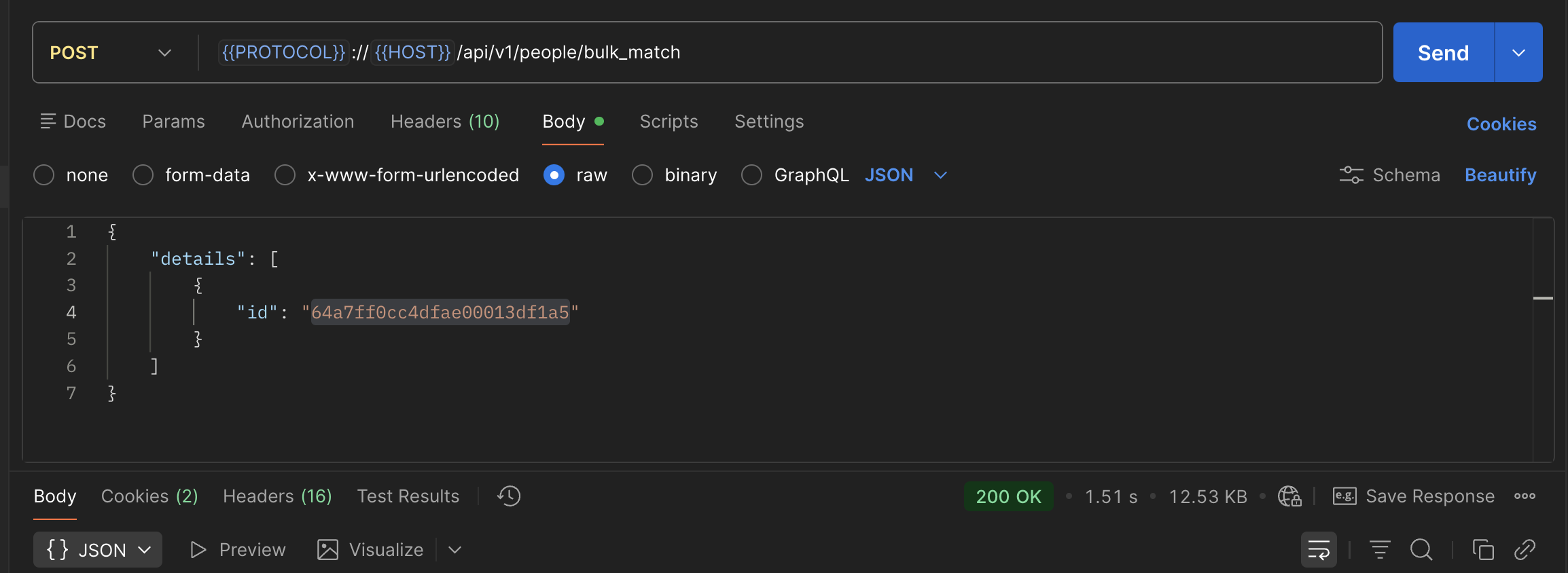
Postman Request
As an example, here's how the request can be formatted in Postman. Use the raw JSON option for the request body.
Response Details
A successful request returns a 200 response status and JSON data similar to the following response:
{
  "status": "success",
  "error_code": null,
  "error_message": null,
  "total_requested_enrichments": 1,
  "unique_enriched_records": 1,
  "missing_records": 0,
  "matches": [
    {
      "id": "64a7ff0cc4dfae00013df1a5",
      "first_name": "Mark",
      "last_name": "Calder",
      "name": "Mark Calder",
      "linkedin_url": "https://www.linkedin.com/in/mark-calder",
      "title": "VP of Sales",
      "email_status": "verified",
      "email": "[email protected]",
      "organization_id": "5e66b6381e05b4008c8331b8",
      "employment_history": [
        {
          "current": true,
          "organization_id": "5e66b6381e05b4008c8331b8",
          "organization_name": "Sumware Software",
          "start_date": "2021-06-01",
          "title": "VP of Sales"
        }
      ],
      "city": "San Francisco",
      "state": "California",
      "country": "United States",
      "organization": {
        "id": "5e66b6381e05b4008c8331b8",
        "name": "Sumware Software",
        "primary_domain": "sumware.com"
      }
    }
  ]
}
The following table details some key elements of the API response:
| Element | Description |
|---|---|
total_requested_enrichments | The number of records included in the request. |
unique_enriched_records | The number of unique people Apollo enriched. |
missing_records | The number of requested people Apollo couldn't match. |
matches | The enriched person records returned by Apollo. |
Updated 3 months ago